%20--%3e%3csvg%20version='1.1'%20id='Ebene_1'%20xmlns='http://www.w3.org/2000/svg'%20xmlns:xlink='http://www.w3.org/1999/xlink'%20x='0px'%20y='0px'%20viewBox='0%200%201065%20225'%20style='enable-background:new%200%200%201065%20225;'%20xml:space='preserve'%3e%3cstyle%20type='text/css'%3e%20.st0{fill:url(%23SVGID_1_);}%20.st1{fill:%23606060;}%20.st2{fill:url(%23SVGID_2_);}%20.st3{fill:%2358B8C5;}%20.st4{fill:%2380BC49;}%20.st5{fill:%23FFFFFF;}%20.st6{fill:url(%23SVGID_3_);}%20.st7{fill:url(%23SVGID_4_);}%20.st8{fill:url(%23SVGID_5_);}%20.st9{fill:url(%23SVGID_6_);}%20.st10{fill:url(%23SVGID_7_);}%20.st11{fill:url(%23SVGID_8_);}%20.st12{fill:url(%23SVGID_9_);}%20.st13{fill:url(%23SVGID_10_);}%20.st14{fill:url(%23SVGID_11_);}%20%3c/style%3e%3cg%3e%3cpath%20class='st3'%20d='M216.6,222.6c-22.5,0-44.3-5.2-51-6.9c-5.1-1.3-8.2-6.5-6.9-11.7c1.3-5.1,6.6-8.2,11.7-6.9%20c25.1,6.5,67.6,11.1,81.4-3.2c6.4-6.5,9.4-17.2,9-32c-0.6-24.1-0.7-48.9-0.4-75.7l0-0.5c0.7-9.9-3.2-22.5-16.5-25.1l-0.6-0.2%20c-8.8-2.4-18.6-2.6-27.1-2.6c-9.1,0.3-32.8,1-35.3-27.6c-1.5-6-4.1-8.8-14-8.8H142c0,0,0,0-0.1,0l-27.1,0%20c-10.8-0.2-11.4,2.2-13.8,11c-2.1,7.5-4.9,17.7-16.7,23L83.4,56l-0.9,0.2c-7.2,1.7-14.2,1.7-21,1.8c-6.1,0.1-12,0.1-17.2,1.4%20l-0.7,0.2l-0.7,0.1c-19.3,1.6-22.6,17-22.1,29.6l0,0.2c0.6,25.3,0.6,50.7,0.6,72.6c0,29,10.9,36.1,20.4,39c6.5,2,14.1,1.8,21.4,1.7%20c15.5-0.3,31.6-0.6,46.6-4.9c24.5-7,71.3-38.5,86.1-61.4c10.3-21.8,3-36.3-6.4-42c-10.5-6.4-27.3-4.6-41.1,13.9l-7.5,10.1l-7.7-10%20C122.6,94.6,110,88.4,98.5,91.4c-9,2.3-15.6,9.9-17.2,20c-3.1,19,11.6,40.9,39.3,58.5c4.5,2.8,5.8,8.7,2.9,13.2%20c-2.8,4.5-8.7,5.8-13.2,2.9c-49.4-31.5-50-64.8-47.9-77.7C65.3,90.6,77.3,77,93.8,72.8c15.9-4.1,32.9,1.6,46.9,15.2%20c19.7-19.3,43.4-19.3,58.7-10c17.7,10.7,28.7,35.7,13.5,67.2l-0.5,0.9c-17.2,27.3-68.8,61.9-97.4,70.1c-17.3,4.9-35.4,5.3-51.4,5.6%20c-8.4,0.2-17.9,0.4-27.4-2.5c-22.5-6.9-34-26.2-33.9-57.3c0-21.7,0-47-0.6-72C0.4,61.9,15.3,43,40.5,40.6%20c7.1-1.6,14.1-1.7,20.8-1.7c5.6-0.1,10.9-0.1,15.8-1.1c2.7-1.6,3.7-4.3,5.4-10.3c2.6-9.5,6.9-25.3,32.4-25l51.9,0%20c18.2,0,29.2,8.2,32.8,24.3l0.2,0.7l0.1,0.7c0.6,8.5,2,11.2,15.8,10.7l0.3,0c9.7,0,21,0.2,32.1,3.1c20.4,4.2,33.1,22.2,31.6,44.9%20c-0.4,26.4-0.3,50.8,0.4,74.6c0.5,20.2-4.3,35.6-14.5,45.8C254,219.1,235.1,222.6,216.6,222.6z%20M141.2,34.1%20c-8.5,0-15.4,6.9-15.4,15.4S132.7,65,141.2,65c8.5,0,15.4-6.9,15.4-15.4S149.7,34.1,141.2,34.1z'/%3e%3cg%3e%3cpath%20class='st1'%20d='M387.2,200.5V59.1h21.1v141.4H387.2z'/%3e%3cpath%20class='st1'%20d='M510.4,59.1h30.3l44.8,92.9h-2l44.8-92.9h29.3v141.4h-21.3V82.3h3.4l-48.4,101.5h-13.9L529.4,82.8h2.1v117.7%20h-21.1V59.1z'/%3e%3cpath%20class='st1'%20d='M759.8,200.5V59.1h21.1v141.4H759.8z'/%3e%3cpath%20class='st1'%20d='M868.8,193.9v-21.4c5.5,3.4,11,6,16.4,7.7c5.4,1.7,10.6,2.6,15.5,2.6c7.1,0,12.2-2.1,15.4-6.3%20c3.1-4.2,4.7-10.3,4.7-18.3V59.1H942v99.1c0,10.7-1.6,19.4-4.9,26c-3.3,6.6-7.9,11.5-13.9,14.5c-6,3.1-12.9,4.6-20.8,4.6%20c-6.2,0-12.1-0.9-17.6-2.7C879.1,198.9,873.8,196.7,868.8,193.9z'/%3e%3cpath%20class='st1'%20d='M1042.3,200.5V59.1h21.1v141.4H1042.3z'/%3e%3c/g%3e%3c/g%3e%3c/svg%3e)
Live-Sessions
Your celebration on the big screen
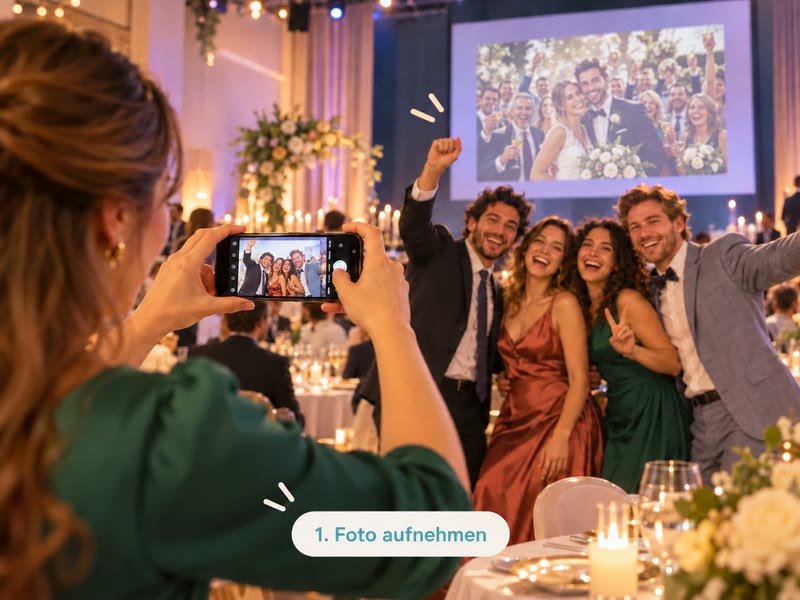
Quietly in the background or as the highlight of the evening: imiji shows your guests' photos on a projector, TV or phone. Guests upload via QR code, no app. You keep control over every picture and every megabyte.
And you don't have to be in the room for it: whoever joins from home, from the hotel room or on the road sees exactly the same. In real time, from anywhere.
- No app needed
- Approval before display
- Data usage visible live
- Made in Germany
From calm to party spirit.
At imiji the choice is yours.
Calm in the background
Slideshow and Active slideshow
Not every party needs a show. The slideshow lets your best moments run quietly: at the reception, over dinner, in the lounge. The active slideshow automatically adds your guests' new photos.
- Feels like background music
- Suits elegant weddings, family gatherings, anniversaries, receptions
- In focus: your selection, you direct
Party spirit as a program item
Livestream and moderated livestream
Want the whole room to join in? In the livestream every phone becomes a camera for the big screen. One QR code is enough. With moderation you decide what is shown.
- Feels like a show act
- Suits Christmas parties, club nights, New Year's Eve, big parties
- In focus: your guests, with QR code and names on screen
The right session for every celebration
Christmas party
Moderated livestreamThe whole team on the big screen, and you decide what is shown.
New Year's Eve
LivestreamCountdown, fireworks, hugs: the screen shows the night from every angle.
Club night and party
Moderated livestreamAll members join in, and moderation keeps the evening clean.
Elegant wedding
Slideshow or active slideshowRuns quietly at the reception and dinner, like background music.
Wedding party
LivestreamWhen the dance floor opens, the screen becomes part of the programme.
Family celebration and anniversary
SlideshowA life in pictures, as a presentation or endless loop.
Surprise tip for weddings: As admins, the best man and maid of honour collect pictures in advance without the couple seeing them, and show them as a slideshow at the party.
You're in charge
While your guests celebrate, you keep track of everything, on a laptop or phone.
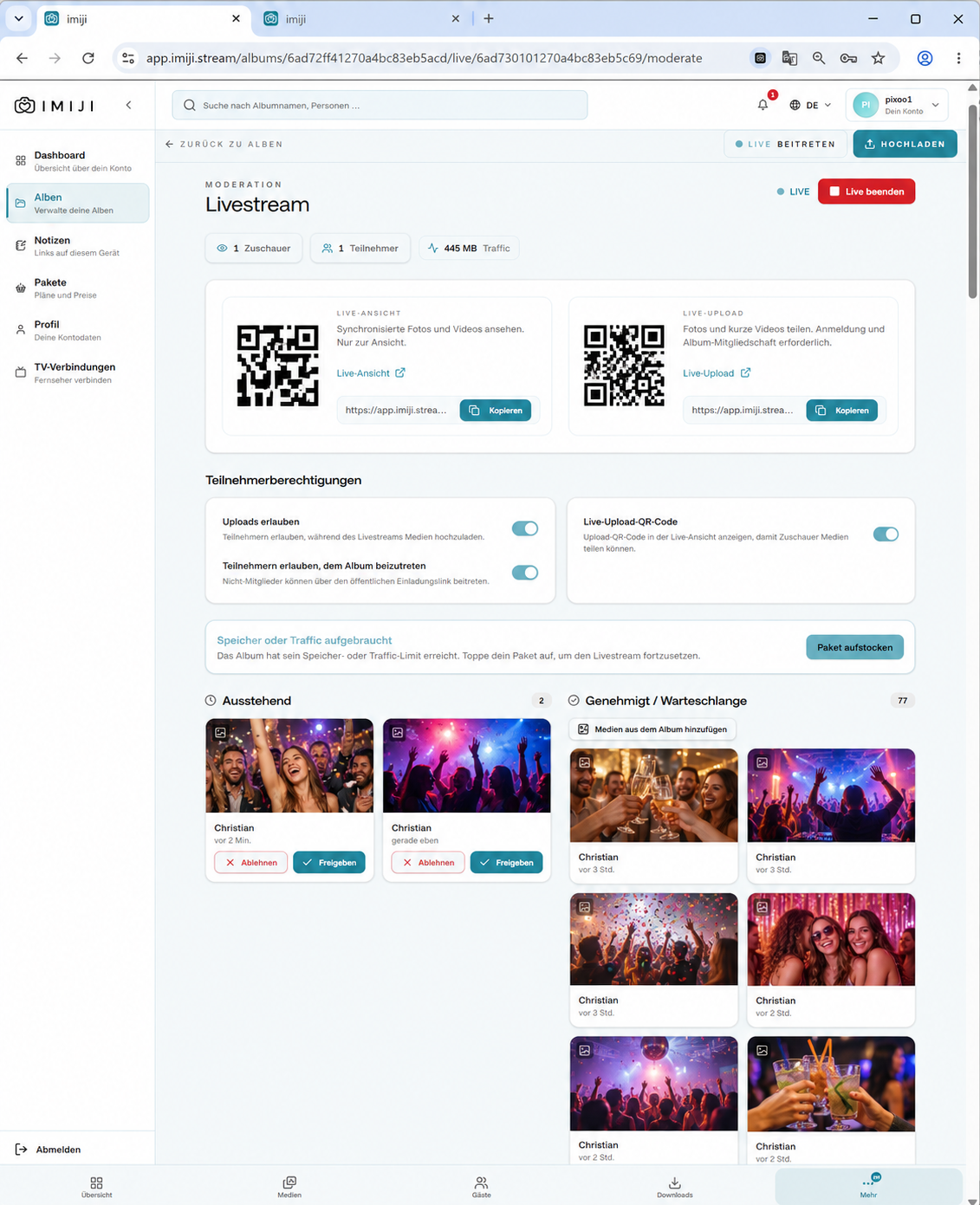
Approve or reject
New pictures land in “Pending”. One click approves them, and only approved pictures appear on screen. If you trust your group, switch approval off and new pictures go straight to the screen.
Add your own pictures
With “Add media from album” you slot in photos from the morning, from the photographer or company logos.
Who can join in
Switch uploads on or off, allow joining the album, show or hide the upload QR on screen.
Block troublemakers
You see who is watching and who is uploading, and can block individuals for the whole album.
Everything live
Viewers, participants and data usage in real time.
Planned to the minute
Start and end are fixed, and you can end the session any time with one click. Set up several sessions for the whole evening in advance.
Teamwork
Admins, such as the best man or the organising team, can also start sessions and approve pictures.
Join in seconds
No app, no download. Your guests scan the QR code and they're in.
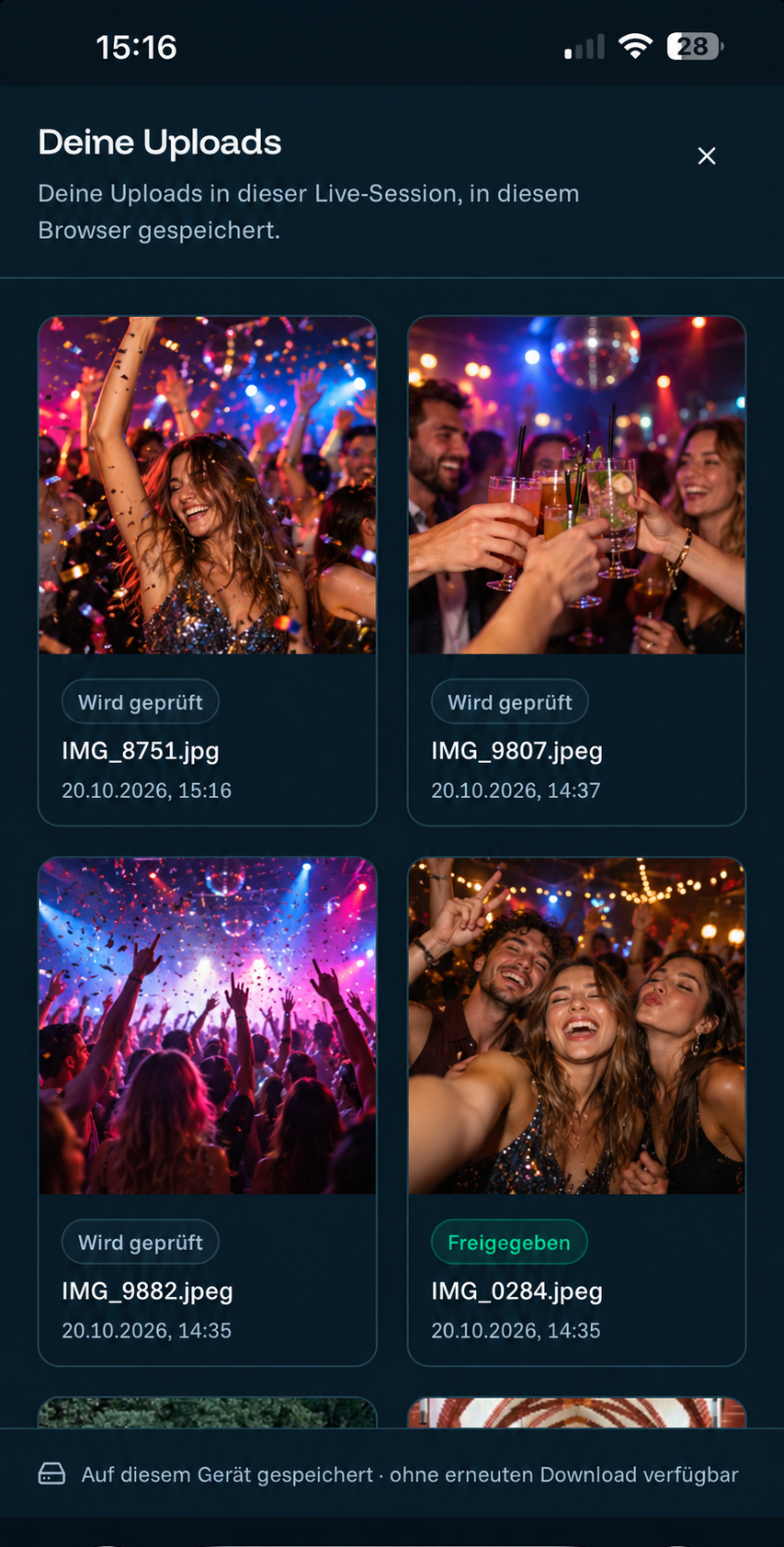
Camera in the browser
Upload with your own camera, from the library, or with the browser camera. Front or rear camera, photo or video, quality up to Full HD.
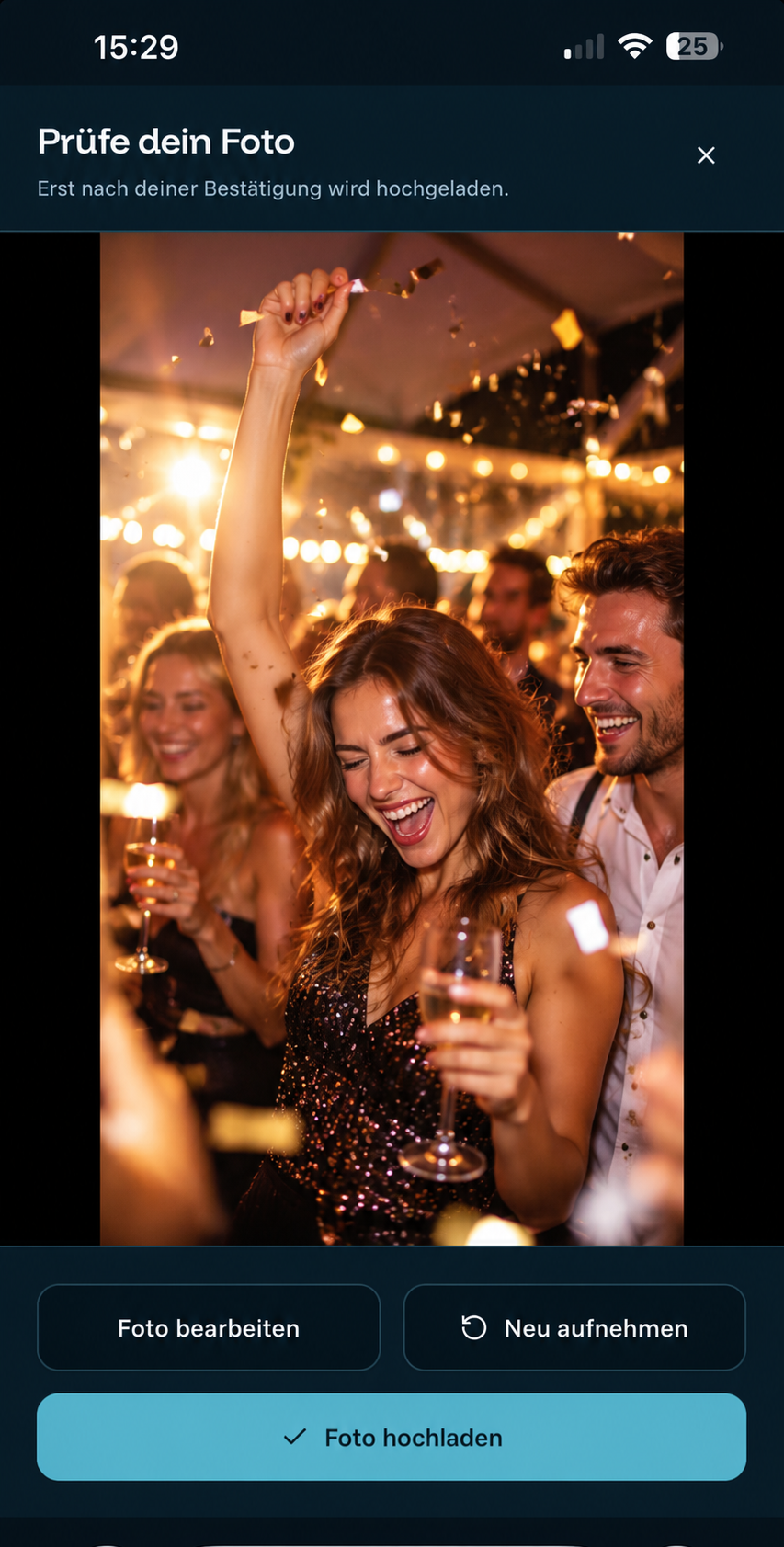
Check first, then upload
Every picture is previewed first. Retake any time.
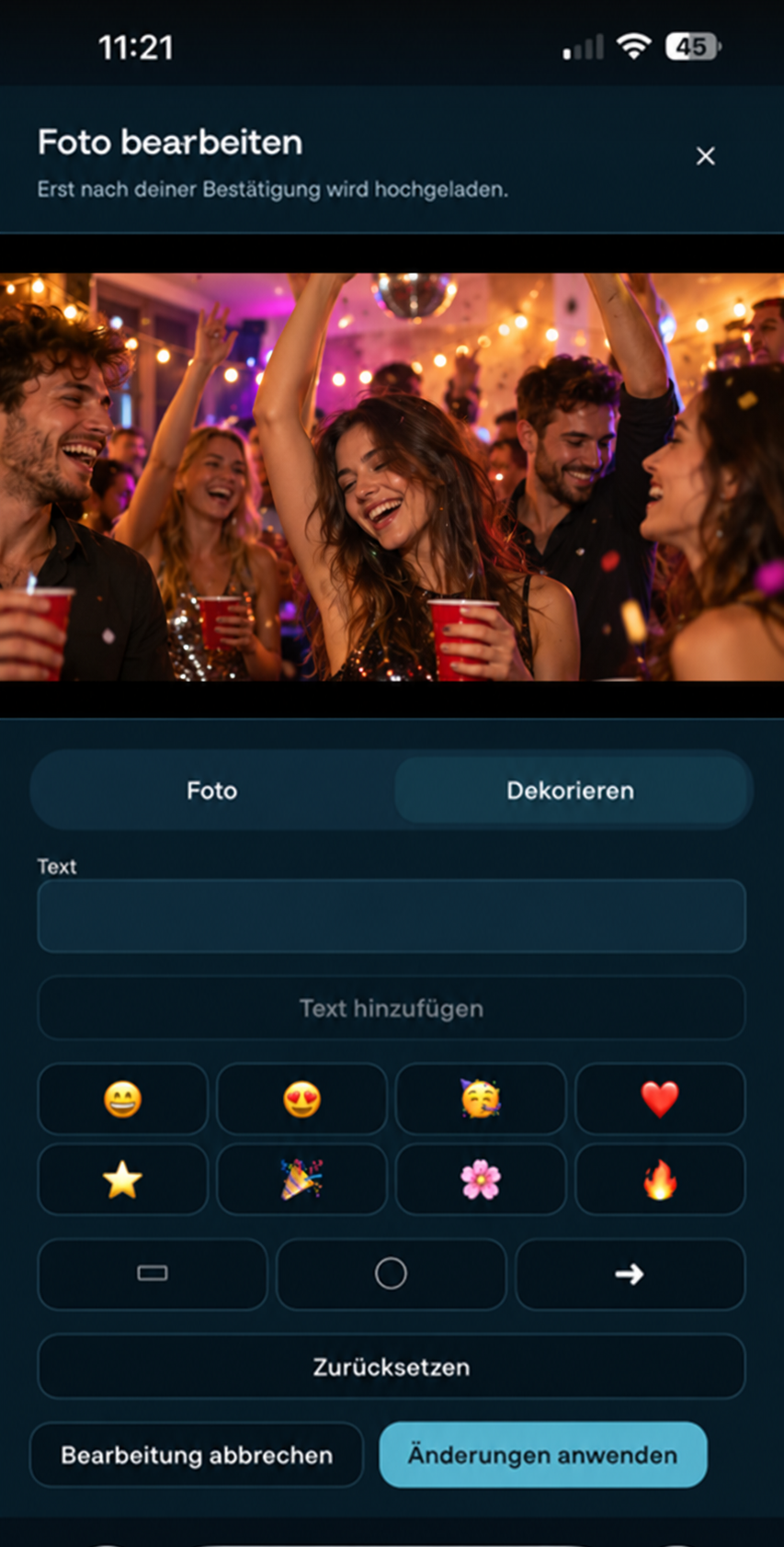
Make it prettier
Filters, cropping, text and stickers turn a snapshot into an eye catcher.
Named on screen
Whoever uploads is credited in the picture.
Your uploads
Everyone sees their own posts with status, stored on their own device.
Keep the link
Save the session or add it to the home screen as an app.
No surprises. Every megabyte in view.
With imiji you see live how much data your session uses. No small print, no bill afterwards.
Live display
Data usage runs in the cockpit next to viewers and participants.
Clear principle
The data allowance belongs to the host. Every watching device and every upload counts, all traceable.
No abrupt end
If the package runs low, you can top up right in the running session.
Sensible quality
Guests choose the resolution themselves, and imiji shows that higher quality uses more data.
One album for tonight. A home for all the others.
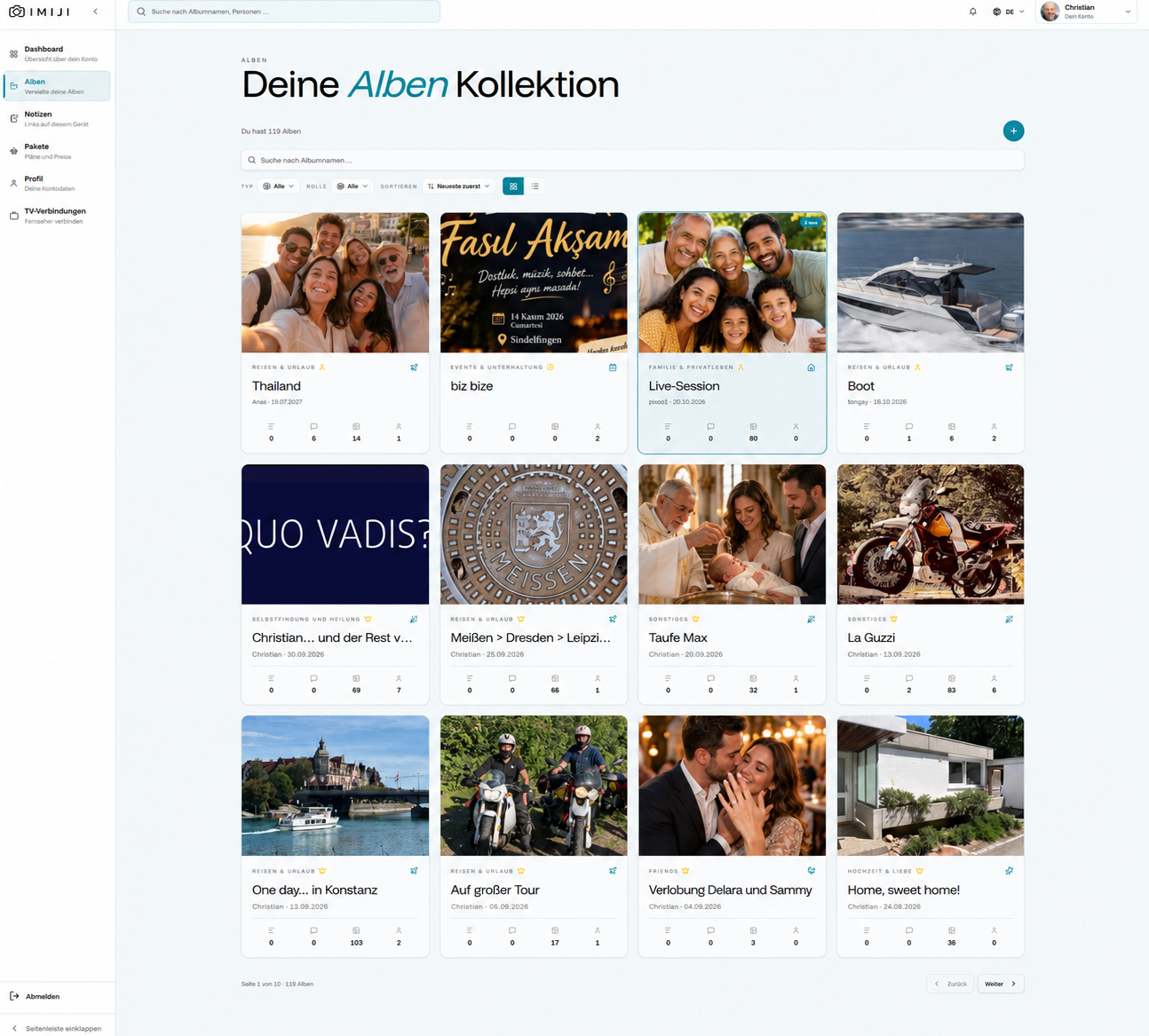
Event apps collect the photos of one party, and then it's over. imiji goes further: with one account you create as many albums as you like, for the next Christmas party, the holiday, the club anniversary or everyday family life. And a Live Session can start in every album.
- One account, many albums
- Collecting and sharing solved
- Actively create memories
- Guests stay connected
Others collect photos. With imiji, memories are made.
Frequently asked questions
Ready for the big screen?
Create an album, choose a variant, show the QR code. Start free, no commitment.
Planning something bigger or unsure which variant fits? Talk to us. We advise you personally, from company parties to weddings, and help script your evening.
Request advice